How to Watch Live NBA Games on IPTV: 60 FPS Setup, Blackout Bypassing & Anti-Buffering Guide (2026)
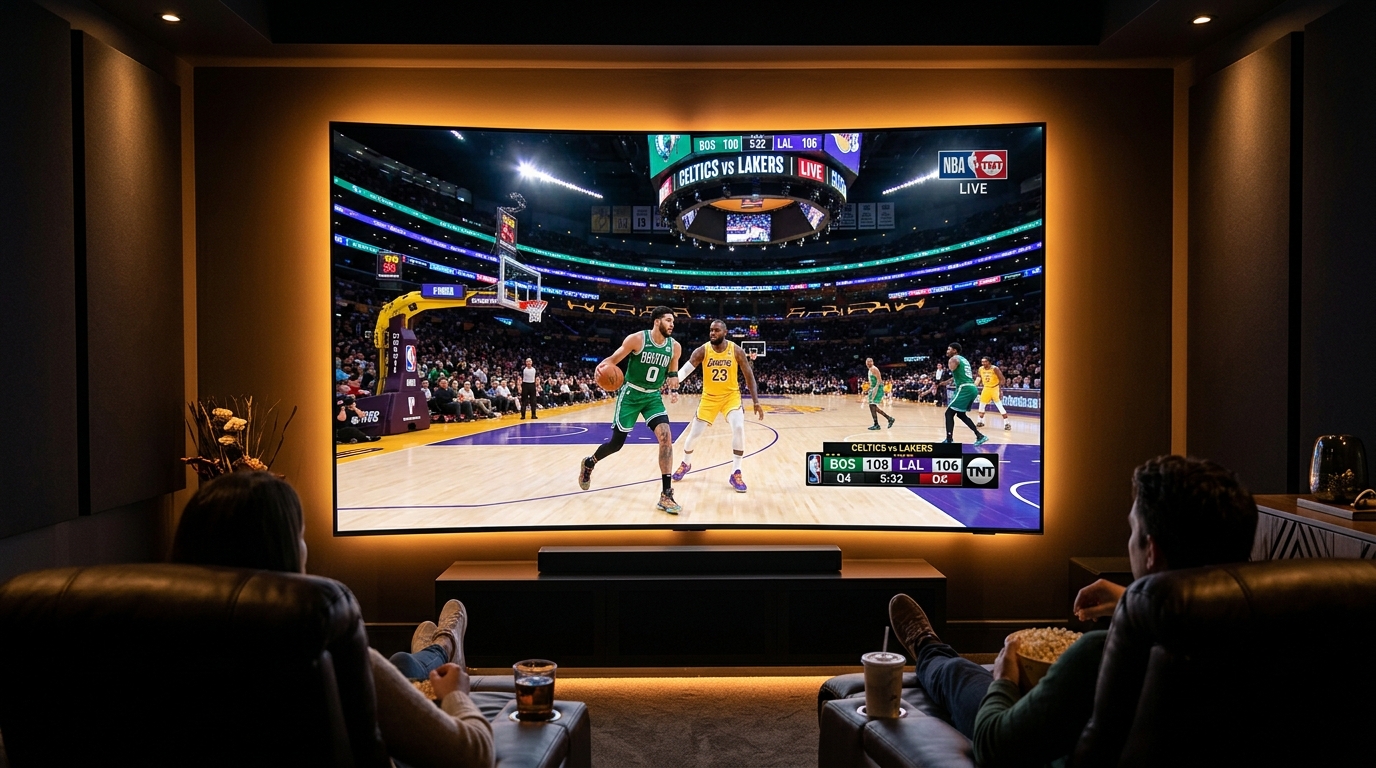
For dedicated basketball enthusiasts, streaming live NBA games represents the ultimate stress test for any home entertainment setup. Basketball is one of the fastest, most dynamic spectator sports in the world: ten elite athletes sprinting across a reflective hardwood floor, rapid cross-court passes, sudden fast-breaks, and high-velocity camera pans across packed stadium arenas.
Under standard streaming conditions, fast-action court sports reveal every vulnerability in a digital broadcast pipeline. Low-frame-rate feeds produce disorienting motion blur; underpowered video decoders drop frames during crucial buzzer-beater moments; and localized network congestion causes stream buffering precisely when game intensity peaks in the fourth quarter. Furthermore, navigating complex broadcast fragmentation across national networks, regional sports networks (RSNs), and restrictive geographic blackout rules on traditional cable often leaves fans unable to watch their hometown teams.
This comprehensive technical guide details how to configure, optimize, and master live NBA basketball streaming on IPTV. By understanding high-frame-rate video encoding (60 FPS), display refresh rate synchronization, electronic program guide (EPG) tracking, and robust network throughput, you can enjoy pristine, court-side television across all your favorite devices.
1. The Physics of Basketball Streaming: Why 60 FPS is Non-Negotiable
To understand why live basketball frequently appears blurry or stuttered on generic streaming platforms, one must look at how digital video captures and displays high-speed athletic motion.
[30 FPS Video: 1 Frame Every 33.3ms]  ──► Significant Motion Blur on Fast Passes
[60 FPS Video: 1 Frame Every 16.6ms]  ──► Crystal-Clear Ball Tracking & Fluid Motion
The Critical Difference Between 30 FPS and 60 FPS
Standard video entertainment (such as cinema films or conversational talk shows) is typically recorded at 24 FPS or 30 FPS. In cinematic productions, natural motion blur is aesthetically pleasing because human eye movement expects gradual transitions.
In professional basketball, however:
- A basketball thrown on a rapid full-court outlet pass travels at speeds exceeding 40 miles per hour (roughly 58 feet per second).
- At 30 Frames Per Second, the ball updates its physical position on your television screen only once every 33.3 milliseconds. During that time window, the basketball travels nearly two feet across the hardwood floor. On a 65-inch or 75-inch 4K screen, this causes the basketball to appear as an elongated, smudged streak, and fast player cuts produce ghosting artifacts.
- At 60 Frames Per Second (or 59.94 FPS NTSC standard), the display updates every 16.6 milliseconds. Visual temporal resolution is effectively doubled. Player jersey numbers remain sharp during sprint transitions, defensive rotations are crisp, and the ball retains its spherical integrity as it arcs toward the rim.
Bitrate Allocation and Compression Codecs for Live Court Action
Achieving genuine 60 FPS live sports requires sufficient bitrate and efficient video compression:
- H.264 / AVC at 60 FPS: Requires a steady bitrate of 8 to 12 Mbps to prevent macroblocking on high-contrast court hardwood lines.
- H.265 / HEVC at 60 FPS: Delivers superior edge definition and color gradation using 5 to 7 Mbps, making it the preferred standard for premium live sports delivery over internet protocol networks.
When browsing channels in your VIPSATV live sports directory, always prioritize channels carrying the FHD 60FPS or 4K UHD designation for live basketball coverage.
2. Navigating the NBA Broadcast Landscape on IPTV
One of the greatest advantages of an unrestricted IPTV subscription is bypassing the regional blackout restrictions that frustrate conventional cable and standalone league app subscribers. To find every game cleanly, you must understand how NBA broadcasting rights are distributed.
                                  [Live NBA Broadcasts]
                                            │
         ┌──────────────────────────────────┴──────────────────────────────────┐
         ▼                                                                     ▼
[National Broadcast Networks]                                        [Regional Sports Networks - RSNs]
- ESPN / ABC (Wed / Fri / Sun)                                       - FanDuel Sports Network (Bally)
- TNT / TNT Sports (Tue / Thu Primetime)                             - NBC Sports Regional Networks
- NBA TV (Daily Showcase Games)                                      - YES Network, Marquee, Altitude
1. National Primetime Networks
Throughout the regular season and playoffs, marquee matchups air on national networks:
- ESPN & ABC: Broadcast major Wednesday and Friday evening matchups, Sunday afternoon showdowns, and the exclusive telecast of the NBA Finals.
- TNT & TNT Sports: Famous for Tuesday and Thursday primetime doubleheaders and extensive NBA All-Star Weekend coverage.
- NBA TV: Delivers daily live out-of-market games, studio analysis, and in-depth player breakdowns.
2. Regional Sports Networks (RSNs) and Local Home Feeds
Approximately 80% of regular-season NBA games are produced and broadcast by local Regional Sports Networks:
- FanDuel Sports Network (formerly Bally Sports): Holds local broadcast rights for nearly a dozen NBA franchises, including the Atlanta Hawks, Charlotte Hornets, Cleveland Cavaliers, Detroit Pistons, Indiana Pacers, LA Clippers, Memphis Grizzlies, Miami Heat, Milwaukee Bucks, Minnesota Timberwolves, Oklahoma City Thunder, and Orlando Magic.
- NBC Sports Regionals: Covers major metropolitan franchises like the Boston Celtics (NBC Sports Boston), Chicago Bulls (NBC Sports Chicago), Philadelphia 76ers (NBC Sports Philadelphia), and Golden State Warriors (NBC Sports Bay Area).
- Independent & Team-Specific RSNs: Networks such as the YES Network (Brooklyn Nets), Altitude Sports (Denver Nuggets), Spectrum SportsNet (Los Angeles Lakers), Root Sports (Portland Trail Blazers), and Space City Home Network (Houston Rockets).
A premium provider like VIPSATV categorizes both the Home Broadcast and Away Broadcast feeds for every NBA matchup, allowing viewers to choose their preferred local commentary crew.
3. Comprehensive Team-by-Team RSN Broadcast Directory
To help you locate your team's live games immediately during the 82-game regular season schedule, consult this comprehensive team broadcast mapping:
Eastern Conference Teams
| Franchise | Primary Regional Sports Network (RSN) | Secondary / Backup Feeds |
|---|---|---|
| Boston Celtics | NBC Sports Boston | ESPN / TNT / NBA TV National Feeds |
| Brooklyn Nets | YES Network | My9 / Local New York Feeds |
| New York Knicks | MSG Network / MSG+ | National Primetime Broadcasts |
| Philadelphia 76ers | NBC Sports Philadelphia | NBC Sports Philadelphia+ |
| Toronto Raptors | Sportsnet Ontario / TSN 1-5 | RDS (French Commentary Feed) |
| Chicago Bulls | Chicago Sports Network (CHSN) | NBC Sports Chicago Overspill |
| Cleveland Cavaliers | FanDuel Sports Network Ohio | FDSN Great Lakes |
| Detroit Pistons | FanDuel Sports Network Detroit | FDSN Detroit Extra |
| Indiana Pacers | FanDuel Sports Network Indiana | FDSN Midwest |
| Milwaukee Bucks | FanDuel Sports Network Wisconsin | FDSN Wisconsin Extra |
| Atlanta Hawks | FanDuel Sports Network Southeast | FDSN South |
| Charlotte Hornets | FanDuel Sports Network Southeast | FDSN Charlotte |
| Miami Heat | FanDuel Sports Network Sun | FDSN Florida |
| Orlando Magic | FanDuel Sports Network Florida | FDSN Sun |
| Washington Wizards | Monumental Sports Network | Monumental Extra |
Western Conference Teams
| Franchise | Primary Regional Sports Network (RSN) | Secondary / Backup Feeds |
|---|---|---|
| Denver Nuggets | Altitude Sports Network | Altitude 2 |
| Minnesota Timberwolves | FanDuel Sports Network North | FDSN Extra |
| Oklahoma City Thunder | FanDuel Sports Network Oklahoma | FDSN Southwest |
| Portland Trail Blazers | Rip City Television Network / KATU | Root Sports Northwest |
| Utah Jazz | KJZZ-TV / Jazz+ Feed | Local Salt Lake City Terrestrial |
| Golden State Warriors | NBC Sports Bay Area | NBC Sports California |
| LA Clippers | FanDuel Sports Network SoCal | ClipperVision Stream Feed |
| Los Angeles Lakers | Spectrum SportsNet | Spectrum SportsNet LA |
| Phoenix Suns | Arizona's Family Sports (3TV / AZFS) | Kiswe Direct Feed |
| Sacramento Kings | NBC Sports California | NBC Sports Bay Area |
| Dallas Mavericks | KMPX / MavsTV Broadcast | WFAA Dallas |
| Houston Rockets | Space City Home Network | Space City Alternate |
| Memphis Grizzlies | FanDuel Sports Network Southeast | FDSN Memphis |
| New Orleans Pelicans | Gulf Coast Sports & Entertainment | WVUE Fox 8 Local |
| San Antonio Spurs | FanDuel Sports Network Southwest | CW35 San Antonio |
4. International Broadcast Feeds: The Secret to High-Bitrate Alternatives
While North American Regional Sports Networks are the primary choice for domestic viewers, savvy sports fans often turn to international broadcast rights holders available on VIPSATV. These international networks frequently broadcast NBA games with higher bitrates and lower commercial clutter:
1. TNT Sports UK (United Kingdom)
TNT Sports holds exclusive NBA rights across the UK and Ireland. Because European broadcasting adheres to strict PAL standards, these channels transmit at a locked 50.00 FPS with robust 10 to 14 Mbps video bitrates. Studio half-time shows often air uninterrupted without repetitive North American commercial breaks.
2. beIN Sports (France & Middle East)
beIN Sports broadcasts extensive nightly NBA coverage. French and Arabic audio commentary tracks are available, alongside multi-language original English court audio feeds on secondary audio program (SAP) channels.
3. Sky Sport (Germany & Italy)
Sky Sport Germany and Sky Sport Italy broadcast major weekend primetime games at European-friendly evening hours, delivered via pristine 1080p 50FPS satellite feeds.
4. ESPN Latin America & Star+
Provides complete coverage across South and Central America, offering high-energy bilingual commentary tracks and dedicated Spanish broadcast crews.
5. How IPTV Eliminates Geographic Blackout Restrictions
Traditional cable bundles and official standalone streaming services enforce strict geographic blackouts. If you live within a franchise's home broadcasting radius, national services block access to the live feed to protect local cable television agreements.
[Traditional League App User] ──► Checks Local IP Address ──► Blackout Error: Game Unavailable Locally
[VIPSATV Subscriber]          ──► Selects Dedicated RSN Feed ──► Instant 1080p 60FPS Court Action!
The Technical Mechanism of Blackouts
Mainstream league passes utilize GeoIP lookups and mobile GPS coordinates to determine your physical location. When your IP address falls within the home television market of either participating team, the video player disables playback and directs you to a regional cable provider.
How VIPSATV Direct Ingestion Operates
VIPSATV acquires broadcast signals directly from primary teleport downlinks and master satellite transponders located nationwide. Because streams are distributed through a private global Anycast CDN rather than restricted regional cable pipes:
- All 30 NBA franchise regional feeds are accessible regardless of where you reside physically.
- Fans living in New York can stream West Coast Golden State Warriors or LA Lakers games without blackout warnings.
- Expats living in Europe, Canada, or Australia can watch every game live in pristine North American 60 FPS broadcast quality.
6. Display Calibration: Auto Frame Rate (AFR) and Refresh Rate Matching
Even if your IPTV service delivers a flawless 59.94 FPS video feed, your television may introduce distracting visual stutter if the hardware display refresh rate does not match the incoming video framerate.
[Broadcast: 59.94 FPS] ──► [TV Display: Locked at 50.00 Hz] ──► 3:2 Pulldown Micro-Judder Every Second
[Broadcast: 59.94 FPS] ──► [AFR Enabled: TV Switches to 59.94 Hz] ──► 100% Fluid, Judder-Free Motion!
Understanding Frame Rate Judder
Televisions and monitors refresh their physical panels at specific frequencies: typically 50 Hz, 60 Hz, or 120 Hz.
- When an American NBA broadcast (59.94 Hz) is displayed on a screen set to European 50 Hz, the player must duplicate or drop frames to reconcile the mathematical mismatch.
- This creates telecine judder—a subtle, periodic stutter visible whenever the camera sweeps horizontally across the court following a fast break.
Configuring Auto Frame Rate (AFR) on Popular Devices
- Amazon Firestick 4K Max & Fire TV Cube: Navigate to Settings -> Display & Sounds -> Display -> Match Original Frame Rate, and switch it to ON.
- Apple TV 4K: Go to Settings -> Video and Audio -> Match Content -> Match Frame Rate, and set it to ON. Apple TV will automatically adjust HDMI clock timings to lock onto 59.94 Hz or 60.00 Hz.
- TiviMate on Android TV: In TiviMate settings, open Playback, locate Auto Frame Rate (AFR), and enable it. Select Switch refresh rate only to prevent resolution resynchronization blinks.
7. Electronic Program Guide (EPG) Setup for NBA Game Schedules
Because NBA schedules feature up to 15 games across multiple timezones on a single evening, finding the exact channel broadcasting your matchup can be daunting without an accurate TV guide.
Optimizing Your EPG for Basketball Season
- Synchronize EPG Timezones: NBA games are scheduled in Eastern Standard Time (EST). If you live on the West Coast (PST) or in Europe (GMT/CET), verify that your player's timezone offset aligns with your local wall clock. In TiviMate or Smarters, adjust the EPG Time Offset slider so that a 7:30 PM EST tip-off displays as 4:30 PM PST or 12:30 AM GMT.
- Utilize Dedicated NBA Event Folders: Top-tier providers like VIPSATV provide a specialized NBA Live Events category. This folder organizes matchups chronologically by tip-off time, complete with team names and home/away commentary tags (e.g.,
NBA: Boston Celtics vs. LA Lakers [Home: NBCS Boston] [60FPS]). - Add Channels to Custom Favorites: Identify the Regional Sports Networks that carry your favorite teams and press the Add to Favorites button on your remote. This aggregates your team's home feeds into a single dedicated folder for instant game-day access.
8. Eliminating Buffering and Micro-Stutters During Fourth-Quarter Surges
There is nothing more frustrating than enjoying three quarters of smooth basketball, only for the stream to begin buffering during the closing two minutes of a tied fourth quarter. Below is the technical roadmap to eliminate stream freezes permanently:
+--------------------------------------------------------------------------+
| The 3 Pillars of Zero-Buffer NBA Streaming                               |
| 1. HARDWIRED ETHERNET : Eliminates Wi-Fi radio packet interference       |
| 2. EXPANDED BUFFER    : 3000ms buffer absorbs brief transit latency      |
| 3. ROUTER QoS PRIORITY: Gives streaming stick highest network priority   |
+--------------------------------------------------------------------------+
1. Ditch Wi-Fi for Wired Gigabit Ethernet
While Wi-Fi 6 is fast, wireless radio signals are susceptible to localized electromagnetic interference from microwaves, neighboring routers, and physical drywall. A temporary 50-millisecond wireless packet drop will disrupt a live 60 FPS transport stream.
- Connect your streaming device directly to your router using a Cat6 Ethernet cable.
- For Amazon Firestick devices that lack an Ethernet jack, invest in a dedicated USB-to-Ethernet OTG adapter.
2. Player Buffer Allocation Tuning
Inside your player application (such as TiviMate or XCIPTV):
- Navigate to Settings -> Playback -> Buffer Size.
- Set the buffer to Medium (approximately 2,500 to 3,500 milliseconds) or Large (5,000 milliseconds).
- This creates a small safety reservoir of video frames in device RAM. If your ISP encounters a brief routing hiccup, playback continues seamlessly from cache memory without freezing.
3. Router Quality of Service (QoS) Configuration
Log into your home router's administrative dashboard and locate the Quality of Service (QoS) or Traffic Prioritization settings:
- Assign your living room streaming terminal the highest priority status (Real-Time Media / High Priority).
- This ensures that other household devices downloading large game updates or streaming 4K video files do not steal bandwidth away from your live NBA broadcast.
4. DNS Optimization for Rapid Channel Handoffs
Default DNS servers supplied by residential internet providers frequently implement aggressive caching that delays hostname resolution during game night traffic surges. Reconfigure your streaming stick or home router with enterprise Anycast DNS addresses:
- Cloudflare Public DNS: Primary
1.1.1.1| Secondary1.0.0.1 - Google Public DNS: Primary
8.8.8.8| Secondary8.8.4.4
9. Building an NBA Multi-View Command Center
On evenings when multiple high-stakes matchups take place simultaneously, advanced IPTV players allow you to transform your living room into a broadcast command center by splitting the screen into multiple live feeds.
+------------------------------------+------------------------------------+
| Screen 1: Boston vs New York       | Screen 2: Golden State vs Phoenix  |
| (FHD 60FPS - Active Audio)         | (FHD 60FPS - Muted)                |
|------------------------------------+------------------------------------+
| Screen 3: Milwaukee vs Miami       | Screen 4: NBA TV Game Break Studio |
| (FHD 60FPS - Muted)                | (FHD 60FPS - Muted)                |
+------------------------------------+------------------------------------+
Hardware Requirements for Multi-Screen Streaming
Decoding multiple 1080p 60FPS streams simultaneously places significant demands on your device's graphics processing unit (GPU) and hardware video decoders:
- Amazon Fire TV Stick 4K Max (2nd Gen): Capable of smoothly decoding two simultaneous 1080p 60FPS streams.
- Apple TV 4K (A15 Bionic): Effortlessly renders up to four concurrent 1080p streams.
- Nvidia Shield TV Pro: The gold standard for multi-view, capable of handling four high-bitrate feeds with zero dropped frames.
Multi-View Account Rules
Remember that each active screen within a multi-view window counts as an independent connection against your IPTV subscription. If you open four games simultaneously, your account must support at least 4 simultaneous connections. Attempting to run a 4-screen multi-view setup on a single-connection subscription will result in server connection refusal (Error 403). Explore our multi-device plans on the VIPSATV pricing page to configure the appropriate allowance.
10. Step-by-Step Optimization: Configuring TiviMate for NBA Live Feeds
Follow this precise configuration procedure to optimize TiviMate for the upcoming basketball season:
- Enable Hardware Acceleration: Go to Settings -> Playback -> Video Decoder and confirm that Hardware is selected. This engages the device's GPU for zero-lag 60 FPS decoding.
- Configure Auto Frame Rate: Open Settings -> Playback -> Auto Frame Rate (AFR) and toggle it to ON.
- Adjust Stream Format to MPEG-TS: Under Settings -> Playlists -> [Your VIPSATV Playlist] -> Xtream Codes Parameters, ensure the stream format is set to MPEG-TS for the lowest channel switching latency.
- Build a "Game Day" Group: Create a custom channel group titled
🏀 NBA Game Center. Populate it with ESPN, ABC, TNT, NBA TV, and the primary Regional Sports Networks. - Set Quick Audio Switching: In Settings -> Remote Control, map the Right D-Pad Button to toggle audio between adjacent screens during multi-view sessions.
11. Configuring Apple TV 4K & IPTV Smarters Pro for Live Basketball
While TiviMate dominates on Android, millions of basketball fans stream via Apple TV 4K or cross-platform devices using IPTV Smarters Pro. Follow these platform-specific tuning instructions:
Optimizing Apple TV 4K (iPlayTV & UHF Player)
- Calibrate tvOS Video Settings: Open tvOS Settings -> Video and Audio. Set the default format to 4K SDR (60Hz or 59.94Hz). Never leave the Apple TV in forced HDR mode, as this will artificially distort the colors of standard dynamic range basketball broadcasts.
- Enable Dynamic Range & Frame Rate Matching: In the same menu, click Match Content and enable both Match Dynamic Range and Match Frame Rate.
- Configure iPlayTV Cache: In iPlayTV settings, set the stream cache to 2.0 Seconds. This ensures silky 60 FPS court action while preserving instantaneous channel switching times.
Optimizing IPTV Smarters Pro on Firestick & Smart TVs
- Set Player Engine to Native: Open Smarters Settings -> Player Settings. For live sports, select Hardware Decoder or Native Player.
- Switch to VLC for Problematic Audio: If an international regional sports feed features Spanish or French secondary audio that fails to output sound, change the player engine for that specific stream to VLC Player.
- Set Stream Format to HLS on Unstable Connections: If your local Wi-Fi exhibits high jitter, navigate to Settings -> Stream Format and toggle the setting from MPEG-TS to HLS (m3u8). HLS chunks video into adaptive segments that gracefully absorb network hiccups.
12. Game-Day Emergency Troubleshooting Checklist
If an unexpected technical glitch arises five minutes before tip-off, run through this rapid diagnostic checklist:
- Test Alternative Home/Away Feeds: If the primary Home team RSN experiences unexpected broadcast interference, switch immediately to the Away team's broadcast feed or an international feed (such as TNT Sports UK).
- Power-Cycle Your Streaming Terminal: A full reboot clears operating system RAM caches and releases lingering background processes that compete for decoding resources.
- Restart Your Broadband Modem & Router: Unplug your modem and router for 30 seconds. This flushes congested ISP routing tables and establishes a fresh connection to your local exchange.
- Toggle Your VPN Server Location: If your stream experiences buffering during peak evening hours, connect to a high-speed VPN server located in an adjacent city. This bypasses localized ISP video throttling.
Experience VIPSATV
Upgrade your entertainment with ultra-stable, anti-freeze streaming. Access premium live channels, global sports, and curated VOD across all your supported devices.
13. Arena Surround Sound & Court Acoustics Calibration
Visual fidelity is only half of the live basketball experience. The acoustic environment of an NBA arena—the rhythmic squeak of sneakers on hardwood, the physical impact of a rim-rattling dunk, referee whistles, and roaring stadium crowds—is delivered through multi-channel audio bitstreams.
[Broadcaster Audio Feed: Dolby Digital AC-3 5.1]
                       │
                       ▼
         [IPTV Player Audio Passthrough]
                       │
                       ▼
       [HDMI eARC / Optical TOSLink Cable]
                       │
                       ▼
 [Dedicated AV Receiver / Dolby Atmos Soundbar]
 ┌─────────────────────┼─────────────────────┐
 ▼                     ▼                     ▼
[Left/Right Speakers] [Center: Commentary]  [Subwoofer: Rim Vibrations]
Audio Passthrough Configuration
To experience authentic court acoustics rather than flat stereo downmixing:
- Enable HDMI Passthrough in Streaming Device: On Fire TV or Android TV, open Settings -> Display & Sounds -> Audio -> Surround Sound and choose Best Available or PCM / Dolby Digital.
- Configure Player Audio Passthrough: In TiviMate settings, open Playback -> Audio -> Audio Passthrough and toggle it to ON. This allows raw Dolby Digital AC-3 audio frames to bypass the streaming stick's internal mixer and route directly to your soundbar or home theater receiver.
- Isolating Commentary via Center Channel: If crowd volume drowns out the play-by-play commentary team, boost the Center Channel Volume by +2 dB or +3 dB on your AV receiver. Broadcast audio engineers route dialogue primarily through the center channel, while stadium atmospheric microphones occupy the left, right, and surround channels.
14. Streaming the NBA Cup, In-Season Tournament & Playoff Surges
Broadcast parameters shift significantly during high-stakes tournament stages:
The NBA Cup (In-Season Tournament) Hardwood Courts
During the NBA Cup tournament, NBA franchises utilize vibrant, customized court color schemes. These high-saturation courts (bright red, teal, and blue designs) present a unique challenge for digital video encoders:
- High-saturation solid color blocks can induce color banding (contouring) on 8-bit video streams.
- To maintain smooth court gradations without color artifacts, prioritize 10-bit HEVC 4K UHD or FHD 60FPS broadcast feeds provided in your VIPSATV sports lineup.
Handling Playoff Double-Overtime Traffic Surges
During the NBA Playoffs and Finals, concurrent global viewership reaches peak yearly volumes. If a critical game goes into double overtime:
- Never Switch Channels Unnecessarily: If your active stream is playing smoothly, avoid switching away to check other scores. Maintaining an active TCP/UDP socket session prevents you from re-entering connection queues during peak server demand.
- Utilize Secondary Backup Feeds: If a primary domestic network experiences satellite uplink interference, switch immediately to international broadcast relays (such as TNT Sports UK or ESPN Latin America), which run on independent international server clusters.
Frequently Asked Questions
Conclusion and Game-Day Readiness
Live NBA basketball is one of the most thrilling spectator spectacles on earth, but capturing every fast-break slam dunk, three-point buzzer-beater, and defensive stop requires a streaming infrastructure built specifically for high-velocity sports.
By prioritizing genuine 60 FPS broadcast feeds, calibrating your television display for auto frame rate matching, connecting via hardwired Ethernet, and leveraging advanced players like TiviMate, you can say goodbye to local cable blackouts and fourth-quarter buffering forever.
Elevate your basketball viewing experience today. Explore our high-speed, sports-optimized VIPSATV subscription plans, check our comprehensive device installation tutorials, or contact our sports engineering support team through our support center.