The Ultimate IPTV Setup for Live Sports Streaming: 60 FPS, Zero-Buffering & Multi-View Command Center (2026)
Live sports broadcasting represents the ultimate crucible for digital video technology. When streaming an episodic drama or a pre-recorded cinema movie, the underlying delivery pipeline operates under forgiving parameters: video bitrates remain relatively stable, audio dynamics are predictable, and client player applications can buffer up to two minutes of future video data ahead of your current playback position. If network congestion drops transmission speeds for four seconds, your movie playback continues uninterrupted from internal cache memory without dropping a single pixel or frame.
In high-stakes live sports, however, every technical margin vanishes. A championship football final, a down-to-the-wire NBA playoff game, a 200 mph Formula 1 race, or a heavyweight UFC title fight features extreme camera velocity, rapid scene transitions, unpredictable stadium lighting, and high-frequency audio dynamics. Furthermore, because sports happen in real time, streams must be delivered with minimal latency. A two-second stream freeze or an unexpected resolution downgrade can cause you to miss a game-winning goal, a buzzer-beating three-pointer, or a knockout punch.
Creating a true, broadcast-grade sports streaming command center requires careful harmony between four critical architectural pillars: high-frame-rate broadcast feeds (50/60 FPS), GPU-accelerated hardware decoding, judder-free display refresh rate matching, and a deterministic, low-jitter home network.
This comprehensive technical guide details exactly how to architect, configure, and optimize the ultimate live sports IPTV setup. By methodically addressing video encoding standards, hardware processing limitations, and network latency, you can eliminate motion blur, prevent stream buffering, and enjoy court-side and pitch-side clarity across all your favorite competitions.
1. The Physics of Sports Motion: 60 FPS vs. 30 FPS Frame Rates
To understand why live sports appear crystal-clear on professional broadcasts but look blurry and stuttered on generic streaming feeds, one must analyze the mathematical relationship between frame rates, camera velocity, and human visual perception.
+--------------------------------------------------------------------------+
| Frame Rate Motion Tracking in Fast Sports (Soccer / F1 / Basketball)     |
|                                                                          |
| [25 / 30 FPS Broadcast]: 1 Frame Every 33.3ms -> Severe Ball Ghosting    |
| [50 / 60 FPS Broadcast]: 1 Frame Every 16.6ms -> Razor-Sharp Ball Flight |
+--------------------------------------------------------------------------+
The Temporal Resolution Imperative
In standard digital cinema, directors shoot at 24 Frames Per Second (FPS) because natural motion blur mimics the physical response of human vision in conversational settings. In high-speed sports broadcasting, however, motion blur is the enemy:
- In a professional soccer match, a striking forward kicks a ball at 70 miles per hour (roughly 102 feet per second).
- At 30 FPS, the soccer ball updates its position on your television display only once every 33.3 milliseconds. During that brief fraction of a second, the ball travels more than three feet across the pitch. On a modern 65-inch or 75-inch 4K television, this produces severe visual ghosting: the ball appears as a faint, smudged white streak, and player legs blur during sprint challenges.
- At 60 FPS (or 50 FPS European PAL standard), temporal visual information is doubled. The ball's physical position updates every 16.6 milliseconds. Every blade of turf, spinning ball seam, and jersey number remains tack-sharp as the camera sweeps across the stadium.
Regional Broadcast Standards: 50 FPS vs. 59.94 / 60 FPS
When browsing sports channels in your VIPSATV live sports directory, you will notice that channels are tagged with specific frame rate profiles:
- North American Sports (ESPN, TNT, CBS, NBC, Fox Sports, FanDuel Sports): Broadcast natively at 59.94 FPS or 60.00 FPS (NTSC standard).
- European Sports (Sky Sports UK, TNT Sports, Canal+, DAZN, beIN Sports): Broadcast natively at 50.00 FPS (PAL standard).
- The Golden Rule: Never settle for a sports stream running at 25 or 30 FPS. Always select feeds labeled FHD 50FPS, FHD 60FPS, or 4K UHD 60FPS.
2. Broadcast Ingestion Architecture: Teleport Downlink to Edge CDN
To appreciate the difference between amateur IPTV relays and a professional sports delivery network, one must inspect the physical journey of a live sports broadcast signal.
+----------------------------------------------------------------------------+
| Professional Sports Transmission Pipeline                                  |
|                                                                            |
| [Stadium OB Production Truck] (Uncompressed 4K SMPTE 2110)                 |
|         │                                                                  |
|         ▼                                                                  |
| [Primary Uplink: Satellite DVB-S2 / Dark Fiber Circuit]                    |
|         │                                                                  |
|         ▼                                                                  |
| [Enterprise Teleport Downlink Facility]                                    |
|         │                                                                  |
|         ▼                                                                  |
| [Hardware Transcoding Cluster (HEVC Main 10 Hardware Encoders)]            |
|         │                                                                  |
|         ▼                                                                  |
| [VIPSATV Global Anycast CDN Edge Nodes] (Sub-20ms Regional RAM Caching)    |
|         │                                                                  |
|         ▼                                                                  |
| [End-User Living Room: TiviMate / Apple TV 4K / Hardwired Cat6 Ethernet]   |
+----------------------------------------------------------------------------+
Ingestion Purity
Budget IPTV resellers scrape public web streams or capture consumer cable boxes using cheap HDMI capture cards. This adds multi-second encoding delays, compression banding, and frequent signal dropouts.
- Top-tier services like VIPSATV capture broadcast feeds directly from primary commercial satellite transponders (DVB-S2) and dedicated teleport facilities.
- Broadcast video is compressed in real time using high-density hardware encoders (HEVC Main 10) that preserve edge contrast on stadium turf and court markings.
- Streams are distributed across a globally distributed Anycast Content Delivery Network (CDN) with hundreds of gigabits of reserved edge bandwidth, ensuring zero buffering when millions of fans tune in simultaneously.
3. Display Calibration: Auto Frame Rate (AFR) Matching
Even if your IPTV service delivers a flawless 50.00 FPS or 59.94 FPS video feed, your television panel may introduce distracting visual stutter if the hardware display refresh rate does not match the incoming video framerate.
BROADCAST MISMATCH (JUDDER):
[European Football: 50.00 FPS] ──► [TV Display: Fixed at 60.00 Hz] ──► Periodic Stutter Every Second!

AUTO FRAME RATE MATCHED (FLUID):
[European Football: 50.00 FPS] ──► [AFR Switches TV to 50.00 Hz]   ──► 100% Fluid, Judder-Free Motion!
The Mechanics of 3:2 Pulldown Judder
Televisions and streaming sticks typically output a default display signal of 60.00 Hz.
- When you stream European soccer (broadcast at 50 FPS) on a 60 Hz display, the display cannot map 50 frames evenly into 60 refresh cycles.
- The player must duplicate every fifth frame, causing subtle micro-stutter visible whenever the soccer ball is kicked through the air or the camera pans across the stadium.
- The Solution: Enable Auto Frame Rate (AFR) matching. When enabled, your streaming device detects the incoming frame rate and instructs your television via HDMI clock handshakes to switch its panel refresh rate to exactly 50.00 Hz or 59.94 Hz.
How to Enable AFR on Top Streaming Hardware
- Apple TV 4K: Go to Settings -> Video and Audio -> Match Content and enable Match Frame Rate: ON.
- Amazon Firestick 4K Max & Fire TV Cube: Open Settings -> Display & Sounds -> Display -> Match Original Frame Rate and toggle it to ON.
- TiviMate on Android TV: In TiviMate settings, open Playback -> Auto Frame Rate (AFR), enable it, and select Switch refresh rate only.
4. Sport-by-Sport Optimization Protocols
Different athletic competitions place distinct demands on video encoders and display panels. Configure your system according to the specific sport you are watching:
+--------------------------------------------------------------------------+
| Sport-by-Sport Video & Audio Optimization Checklist                      |
|                                                                          |
| 1. SOCCER (EPL, Champions League) : 50 FPS PAL │ Natural Grass Color Mode|
| 2. BASKETBALL (NBA Court Feeds)   : 60 FPS NTSC│ Boost Center Audio Ch.  |
| 3. AMERICAN FOOTBALL (NFL RedZone): 60 FPS NTSC│ Multi-Screen 4-View     |
| 4. MOTORSPORT (Formula 1)         : 60 FPS UHD │ Low Latency Buffer Mode |
| 5. COMBAT SPORTS (UFC / Boxing)   : 60 FPS FHD │ High-Speed Shutter Sync |
+--------------------------------------------------------------------------+
1. European Soccer (Premier League, UEFA Champions League, La Liga)
- Primary Broadcast Standard: European PAL (50.00 FPS).
- Recommended Channel Groups: UK Sports (Sky Sports, TNT Sports), European Sports (Canal+, DAZN, Movistar+).
- Television Picture Mode: Set your television picture mode to Cinema, Filmmaker Mode, or Custom. Disable all artificial "Motion Smoothing" or "Soap Opera Effect" post-processing in your TV's picture menu. A genuine 50 FPS feed requires zero artificial frame interpolation, which only introduces unnatural artifact halos around players.
2. American Football (NFL Sunday Ticket & NFL RedZone)
- Primary Broadcast Standard: North American NTSC (59.94 / 60.00 FPS).
- The RedZone Command Center: Sunday afternoons feature seven hours of commercial-free football. Use TiviMate's multi-view feature to place NFL RedZone in the main quadrant with three local team broadcasts in adjacent quadrants.
- Bitrate Allocation: Prioritize feeds running at 8 to 12 Mbps to ensure down-and-distance graphics and yard markers remain razor-sharp.
3. Live NBA Basketball
- Fast-Break Motion: Basketball requires locked 60 FPS to prevent fast passes from smearing.
- Home/Away Commentary Feeds: VIPSATV provides both local Home team and Away team broadcast feeds for every NBA matchup, allowing you to choose your preferred commentary crew. For an exhaustive guide, read our dedicated NBA streaming manual.
4. Motorsport (Formula 1, MotoGP, NASCAR)
- High-Velocity Camera Tracks: Formula 1 cars traveling at 200 mph across asphalt produce rapid horizontal pixel shifts. Select 4K UHD 60FPS or FHD 50FPS feeds (Sky Sports F1 UHD or F1 TV Pro feeds).
- Alternative Audio Feeds: Take advantage of secondary audio tracks to listen to pit wall team radio commentary feeds.
5. Combat Sports (UFC Pay-Per-View, Championship Boxing)
- Rapid Strike Motion: High-velocity punches and kicks demand zero dropped frames. Set player buffer size to Medium (2,500ms) to ensure connection stability during high-stakes championship rounds.
5. Building a Multi-View Command Center: Watching Multiple Games Simultaneously
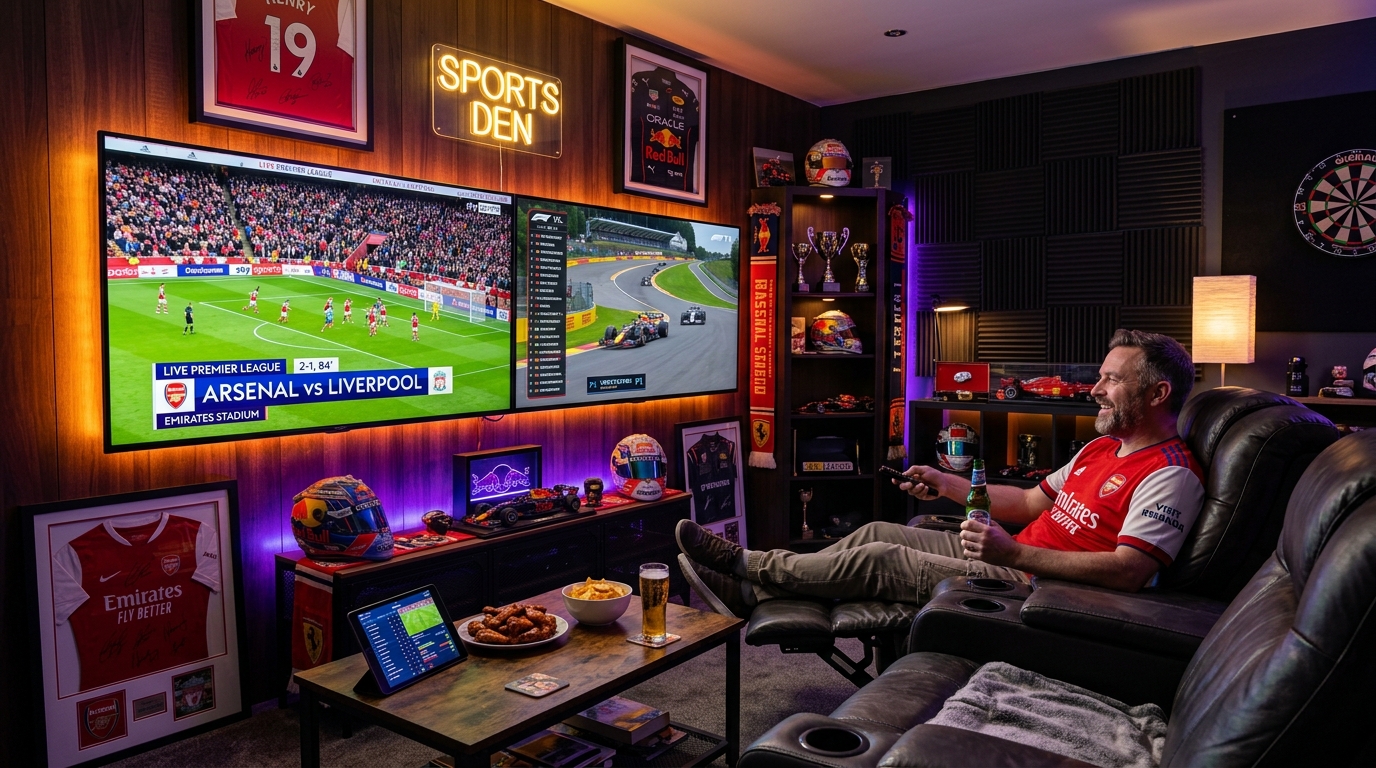
On championship weekends, marquee games overlap. Advanced IPTV applications allow you to transform your television display into a sports bar command center by splitting the screen into multiple live feeds.
+------------------------------------+------------------------------------+
| Screen 1: Premier League Football  | Screen 2: Formula 1 Qualifying     |
| (FHD 50FPS - Active Audio)         | (4K UHD 60FPS - Muted)             |
|------------------------------------+------------------------------------+
| Screen 3: NFL RedZone Live         | Screen 4: NBA Basketball Primetime |
| (FHD 60FPS - Muted)                | (FHD 60FPS - Muted)                |
+------------------------------------+------------------------------------+
Hardware Capabilities for Multi-View
Decoding multiple high-framerate streams simultaneously requires robust silicon hardware:
- Apple TV 4K (3rd Gen): Effortlessly renders up to 4 simultaneous 1080p 60FPS feeds with zero interface stutter.
- Nvidia Shield TV Pro: Can decode up to 4 to 9 simultaneous streams on TiviMate Premium thanks to its Tegra X1+ processor.
- Amazon Fire TV Stick 4K Max: Smoothly decodes 2 concurrent streams; attempting 4 streams may cause frame drops due to memory bandwidth limits.
Multi-Connection Account Requirements
Each active quadrant within a multi-view layout initiates an independent connection to the streaming server. If you run a 4-screen layout, your account must permit at least 4 simultaneous connections. Running multiple screens on a 1-connection subscription will trigger an immediate server disconnect (Error 403). Explore multi-connection account tiers on our pricing plans page.
6. Stadium Audio Calibration: Dolby Digital 5.1 & Commentary Balancing
A truly immersive sports viewing experience requires authentic stadium audio reproduction:
[Broadcast Multi-Channel Bitstream: AC-3 5.1]
                       │
                       ▼
       [Player Audio Passthrough to eARC]
                       │
                       ▼
 [AV Surround Sound Receiver / Dolby Atmos Soundbar]
 ┌─────────────────────┼─────────────────────┐
 ▼                     ▼                     ▼
[Left/Right Speakers] [Center Channel]      [Surround Channels]
(Crowd Atmosphere)    (Announcer Speech)    (Stadium PA & Chants)
Step-by-Step Audio Calibration
- Enable Audio Passthrough: In your streaming stick settings and player app (TiviMate/Smarters), turn Audio Passthrough to ON. This sends raw Dolby Digital 5.1 bitstreams directly to your soundbar or home theater receiver.
- Commentary Speech Boost: If roaring stadium crowd noise drowns out the commentary announcers, increase the Center Channel Volume by +2 dB or +3 dB on your sound system. Broadcast dialogue is isolated in the center speaker, while crowd atmosphere fills the left, right, and surround channels.
- Alternative Audio Tracks (SAP): Press the audio button on your remote to select alternative broadcast audio streams, including natural stadium atmosphere (crowd sounds with zero commentary announcers) or alternative language commentary tracks.
7. Network Architecture: Achieving Zero-Buffer Sports Playback
Buffering during live sports is almost always caused by localized packet jitter or ISP throttling:
1. Hardwired Cat6 Ethernet vs. Wi-Fi
- Wireless radio frequencies are vulnerable to localized electromagnetic interference from microwaves, Bluetooth devices, and neighboring Wi-Fi networks. A 50-millisecond wireless packet delay disrupts a live 60 FPS transport stream.
- Connect your streaming device directly to your router via a physical Cat6 Ethernet cable. If using a Firestick, install a USB OTG Ethernet adapter.
2. Router Quality of Service (QoS) Priority
Log into your home broadband router's administrative dashboard and configure Quality of Service (QoS):
- Assign your streaming terminal's MAC address the Highest Priority (Real-Time Media).
- This ensures that heavy file downloads or cloud backups from other household devices do not interrupt your live sports feed.
3. Deploying WireGuard VPN to Bypass Evening ISP Throttling
During high-profile championship sporting events, residential internet providers frequently deploy automated traffic-shaping algorithms to restrict streaming bandwidth. Connecting to a high-speed VPN running the WireGuard protocol encrypts your data, preventing your ISP from identifying and throttling your video streams.
8. Hardware Shootout: The Best Streaming Terminals for Live Sports
| Device | Processor Silicon | RAM | 60 FPS 4K Performance | Multi-View Capacity | Overall Sports Rating |
|---|---|---|---|---|---|
| Apple TV 4K (3rd Gen) | A15 Bionic 6-Core | 4 GB | Flawless (Zero drops) | 4 Streams (Fluid) | S-Tier (Best Overall) |
| Nvidia Shield TV Pro | Tegra X1+ GPU | 3 GB | Flawless + AI Upscale | Up to 9 Streams | S-Tier (Power Users) |
| Fire TV Stick 4K Max | Quad-Core 2.0 GHz | 2 GB | Excellent (Wi-Fi 6E) | 2 Streams Smooth | A-Tier (Best Value) |
| Google Chromecast 4K | Quad-Core 1.9 GHz | 2 GB | Good | 2 Streams Limited | B-Tier (Budget Option) |
| Built-in Smart TV Apps | Budget Mobile SoC | 1 GB | Inconsistent (Stutters) | 1 Stream Only | C-Tier (Not Recommended) |
9. Match-Day Emergency Troubleshooting Protocol
If an unexpected technical issue occurs five minutes before kickoff:
- Switch to an Alternative Regional or International Feed: If a primary domestic sports network experiences unexpected satellite transponder interference, immediately switch to an international English broadcast (e.g., Sky Sports, TNT Sports UK, or Optus Sport). VIPSATV provides multiple redundant feeds for every major match.
- Clear Player Cache: In player settings, clear the temporary cache to flush fragmented video buffer segments.
- Power-Cycle Streaming Device and Router: A 30-second power cycle resets memory heaps, flushes congested ARP tables, and assigns a fresh, unthrottled IP connection.
10. In-Depth European Football League Broadcast Matrix
Navigating domestic and international broadcast rights for major football competitions is seamless when you understand how feeds are categorized on VIPSATV:
| League / Competition | Primary Broadcast Rights Holders | European Broadcast Standard | Alternative Language Feeds |
|---|---|---|---|
| English Premier League (EPL) | Sky Sports Premier League, TNT Sports UK | 50.00 FPS (FHD / 4K UHD) | Canal+ France, DAZN Spain, Optus Sport |
| UEFA Champions League | TNT Sports UK, CBS Sports / Paramount+ | 50.00 FPS / 59.94 FPS | Canal+ France, Sky Sport Austria, Movistar |
| Spanish La Liga | LaLiga TV, Premier Sports UK, ESPN+ | 50.00 FPS (FHD) | DAZN Spain, beIN Sports MENA |
| Italian Serie A | TNT Sports UK, Paramount+ US | 50.00 FPS / 59.94 FPS | DAZN Italy, Sky Sport Serie A |
| German Bundesliga | Sky Sport Bundesliga, ESPN+ | 50.00 FPS (FHD / 4K) | beIN Sports, Viaplay Nordic |
| Major League Soccer (MLS) | Apple TV Season Pass, Fox Sports | 59.94 FPS (1080p60) | TSN Canada, Fox Deportes (Spanish) |
Overcoming the Saturday 3:00 PM UK Blackout
In the United Kingdom, football authorities enforce the "3:00 PM Blackout Rule," prohibiting domestic television broadcast of Saturday afternoon football matches. Because VIPSATV ingests international broadcast feeds directly from overseas rights-holders (such as Optus Sport Australia, Fubo Canada, and USA Network), subscribers can stream every 3:00 PM kickoff live in pristine 1080p 50/60 FPS without missing a single match.
11. NFL Game Day Command Center: Sunday Ticket & RedZone Architecture
Sunday afternoons during the NFL season present seven hours of high-intensity, non-stop football. Setting up an optimal NFL viewing command center involves coordinating local broadcast affiliates and national feeds:
+--------------------------------------------------------------------------+
| NFL Sunday Broadcast Layout                                              |
|                                                                          |
| 1. NFL RedZone (Scott Hanson) : 7 Hours Commercial-Free (FHD 60FPS)      |
| 2. CBS Early Game (1:00 PM ET): Regional AFC Matchups (1080p 60FPS)      |
| 3. FOX Early Game (1:00 PM ET): Regional NFC Matchups (720p / 1080p 60FPS|
| 4. Late Afternoon Doubleheader: National Game of the Week (4K UHD Feed)  |
| 5. Sunday Night Football (NBC): High-Bitrate Primetime Telecast (60 FPS) |
+--------------------------------------------------------------------------+
Bypassing Local NFL Blackouts
Conventional antennas and local cable bundles only carry the two or three games assigned to your specific geographical metropolitan market. With VIPSATV, you have direct access to every CBS and FOX local affiliate network nationwide. Whether you are a Green Bay Packers fan living in Florida or a Dallas Cowboys fan living in London, you can tune into your local home broadcast team every Sunday.
12. Formula 1 Motorsports Masterclass: 4K UHD Onboard Cameras & Telemetry
Formula 1 represents the absolute pinnacle of high-velocity camera motion. Cars accelerating to 200+ mph across asphalt produce rapid horizontal pixel shifts that instantly expose low-bitrate compression artifacts:
[F1 World Feed: 4K UHD 60FPS Main Broadcast]
                     │
         ┌───────────┴───────────┐
         ▼                       ▼
[Driver Onboard Cameras] [Live Pit Wall Radio Audio]
Achieving the Ultimate F1 Experience
- Prioritize 4K UHD 50/60 FPS Feeds: Look for channels labeled
UK | Sky Sports F1 UHDorF1 TV Pro Main. These feeds run at bitrates between 18 and 30 Mbps, ensuring that trackside gravel traps, carbon fiber bodywork, and digital steering wheel displays remain tack-sharp. - Pit Wall Team Radio Audio: Use your remote to cycle audio tracks. Select feeds provide raw, uncensored team radio chatter directly between drivers and race engineers, bypassing television commentary entirely.
13. Combat Sports: UFC Pay-Per-View, Boxing & MMA Event Protocols
Championship fight nights feature massive global viewership spikes. Following this protocol guarantees uninterrupted viewing from early preliminary bouts to the main event:
- Tune In Early: Launch the pay-per-view stream during the preliminary bouts rather than waiting until the main ring walk. Establishing your active TCP socket connection early ensures you bypass traffic queues during the peak influx of viewers.
- Maintain Active Socket Persistence: If your stream is playing smoothly, avoid switching channels to browse other content between rounds. Staying locked onto the active socket preserves your server bandwidth reservation.
- Utilize Redundant Backup PPV Feeds: Top-tier services like VIPSATV provide multiple numbered backup feeds (
UFC PPV Feed 1,UFC PPV Feed 2,UFC PPV 4K). If an unexpected international satellite link experiences rain fade, switch immediately to a secondary feed.
14. Television Display Calibration for High-Speed Live Sports
Your television display's internal image processor plays an enormous role in how motion is rendered on screen:
UNOPTIMIZED DISPLAY (ARTIFACTS & HALOS):
[TV Picture Mode: Standard / Vivid] ──► [Motion Smoothing: MAX] ──► Ghosting & Artificial Artifacts

OPTIMIZED DISPLAY (NATURAL & FLUID):
[TV Picture Mode: Filmmaker / Custom] ──► [Motion Smoothing: OFF] ──► Locked Broadcast Perfection!
Recommended Picture Settings
- Picture Mode: Select Filmmaker Mode, Cinema, or Custom. Avoid "Sports Mode" presets provided by television manufacturers, as they typically apply aggressive blue tint color shifts and artificial sharpness that introduces edge halos.
- Motion Smoothing (MEMC): Turn TruMotion, Motionflow, or Auto Motion Plus to OFF (or set de-judder to 0). Frame interpolation software cannot accurately track small objects traveling at high speeds (such as a tennis ball or hockey puck), causing the ball to flicker or disappear entirely between frames!
- Sharpness: Set sharpness to 0% or 10%. Artificial edge sharpening introduces jagged lines along white field boundaries and player uniforms.
15. Golf, Tennis & Cricket: Optimizing for Ultra-Fine Object Tracking
Ball-tracking sports like golf, tennis, and cricket present a severe challenge for standard digital video encoders:
- Golf Ball Flight (The Masters, PGA Tour): A driven golf ball reaches launch velocities exceeding 170 mph. Against a backdrop of trees or sky, standard 30 FPS feeds cause the ball to disappear completely after impact. Locked 60 FPS broadcast feeds maintain a visible flight arc from tee to green.
- Grand Slam Tennis (Wimbledon, US Open, Roland Garros): Tennis serves clock in excess of 130 mph. Select 50/60 FPS feeds ensure baseline rallies and line calls are legible without ghosting.
- International Cricket (ICC Tournaments, IPL, The Ashes): Fast bowling speeds of 90+ mph demand high temporal visual fidelity. On VIPSATV, channels like Sky Sports Cricket and Star Sports provide dedicated 50 FPS broadcast feeds that capture spin bowling seam rotations and edge snicks clearly.
Experience VIPSATV
Upgrade your entertainment with ultra-stable, anti-freeze streaming. Access premium live channels, global sports, and curated VOD across all your supported devices.
Frequently Asked Questions
Conclusion and Match-Day Readiness
Live sports entertainment demands absolute broadcast perfection. When the outcome of a championship final rests on a single play, you cannot afford stream buffering, motion blur, or dropped frames.
By assembling a hardware command center powered by Apple TV 4K or Firestick 4K Max, calibrating auto frame rate matching, connecting via hardwired Ethernet, and pairing your setup with an enterprise, anti-freeze provider, you can enjoy stadium-grade clarity across every game, race, and fight.
Ready to experience sports television engineered for peak performance? Explore our complete range of VIPSATV subscription plans, check our comprehensive device setup tutorials, or contact our sports broadcast engineering team through our support center.